TOPdesk Event Monitor Reference Guide
The TOPdesk Event Monitor connects to TOPdesk and monitors open tickets.
notitie
Overview
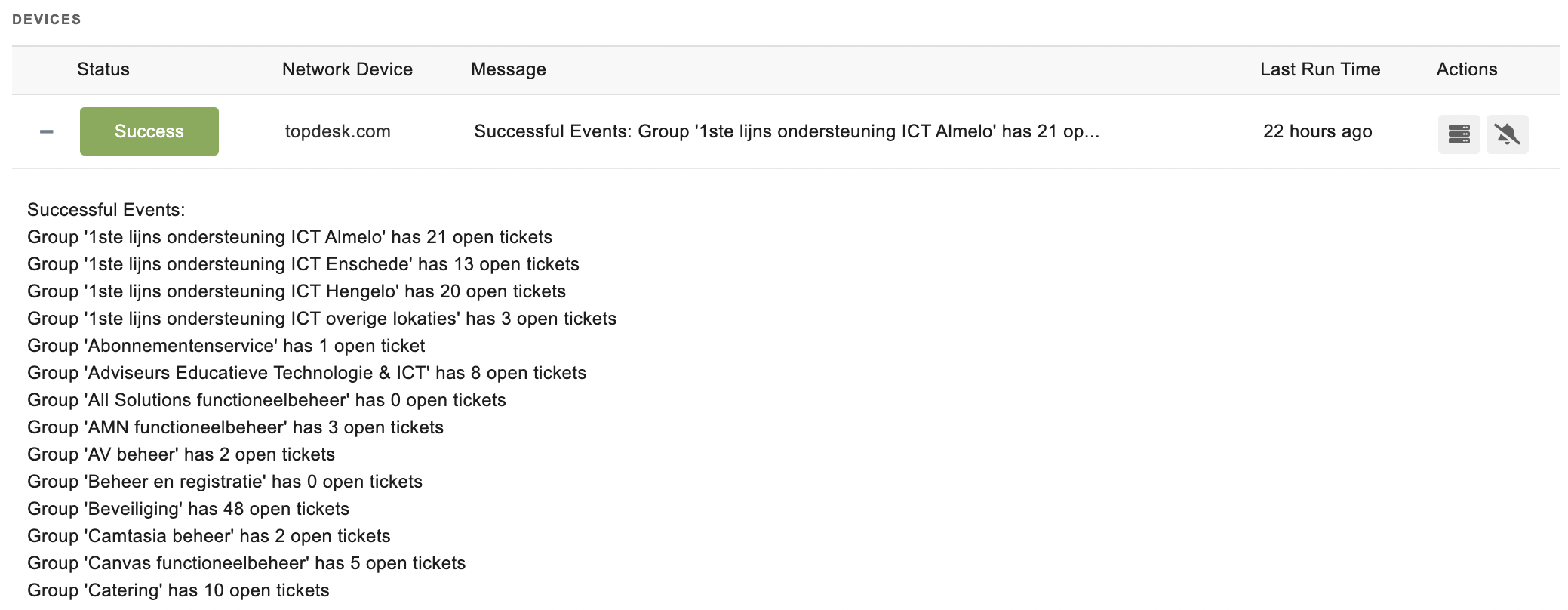
The TOPdesk Event Monitor connects to your TOPdesk account and alerts based on the number of open tickets for each group.
info
Use Cases
- Receiving alerts based on the number of open tickets
- Monitoring specific ticket categories while ignoring others
Monitoring Options
This event monitor provides the following options:
- Alert with [Info/Warning/Error/Critical] if TOPdesk cannot be contacted: Receive alerts if TOPdesk is unavailable or cannot be contacted.
- Alert based on the number of open tickets in each group: Select thresholds for warning, error, and critical status levels. The event monitor checks the number of open tickets in each TOPdesk group and alerts according to the thresholds.
- Only check specific groups: Specify certain TOPdesk groups to monitor.
- Ignore specific groups: Skip checking specific groups.
- URL Base: Enter your TOPdesk URL base. For example, if you access TOPdesk at "https://companyname.topdesk.com" then your URL base is: companyname
Authentication and Security
Prerequisites
The operator account used to log in to TOPdesk must have the Use application passwords permission.
To create an application password:
- Log in to TOPdesk with the operator account you want to use.
- Open the User menu (person icon with gear) in the top right corner.
- Under Application passwords, click Add.
- Enter a name (for example,
PIM+ Monitoring) and an expiration date. - Click Create.
- Copy the application password from the pop-up that appears. This password is only visible now and cannot be retrieved later.
- Use this password in the authentication profile configuration with the correct username.
Required Permissions
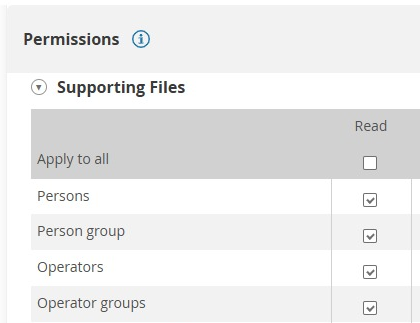
The operator account must have the following read permissions in TOPdesk:
- Persons
- Person group
- Operators
- Operator groups
Protocols
Data Points
| Data Point | Description |
|---|---|
| Open Ticket Count (One per Category) | The number of open tickets in the given category. |
Sample Output