Microsoft Defender Incidents and Alerts Event Monitor Reference Guide
The Microsoft Defender Secure Score Event Monitor integrates with Microsoft Defender to alert you about changes and thresholds in your secure scores.
MS Defender Incidents and Alerts Event Monitor Reference Guide
Monitors and sends alerts based on the status of Microsoft Defender incidents and alerts.
Overview
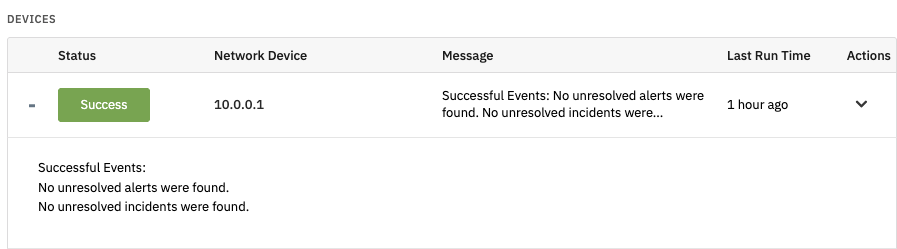
The Microsoft Defender Incidents and Alerts Event Monitor warns about Defender incidents and alerts that are unresolved, unassigned, or otherwise in a suboptimal state. You can use it to receive alerts about incident and alert statuses and display a list of alerts and incidents in the event monitor results.
Use Cases
- Getting alerted about unresolved or unassigned alerts and incidents
Monitoring Options
This event monitor provides the following options:
- Alert with [Info/Warning/Error/Critical] if Azure cannot be contacted. Sends an alert if the event monitor cannot contact Azure.
- Alert with [Info/Warning/Error/Critical] if there are any unresolved incidents. Choose minimum severity threshold before alerting.
- Ignore incidents where associated alerts are all resolved. Excludes incidents with all resolved alerts.
- Ignore incidents with a redirected status. Skips incidents marked as redirected.
- Alert if a specified amount of time has passed and the incident is still unresolved. Triggers alert for aged incidents.
- Alert if a specified amount of time has passed and the incident is still unassigned. Notifies when incidents remain unassigned.
- Alert with [Info/Warning/Error/Critical] if there are any unresolved alerts. Choose minimum severity threshold.
- Alert if a specified amount of time has passed and the alert is still unresolved. Alerts for aged unresolved alerts.
- Alert if a specified amount of time has passed and the alert is still unassigned. Notifies unassigned alerts.
- Device Association. Select device to associate events and data points.
- Include a table of incidents and alerts [before all/after all] event text. Generates table of incidents and alerts.
- Incidents to ignore. Specify incidents to exclude (one per line).
- Alerts to ignore. Specify alerts to exclude (one per line).
Authentication and Security
The account used must have SecurityAlert.Read.All and SecurityIncident.Read.All at the application level.
Protocols
Data Points
This event monitor generates data points for incidents and alerts status and assignment information.
| Data Point | Description |
|---|---|
| Active Incidents | Incidents that are active at the time the event monitor runs |
| Alerts | The number of current alerts |
| Alerts in Progress | The number of alerts in progress |
| Incidents | The total incident count |
| Incidents Awaiting Action | The number of incidents awaiting action, either approval or further investigation |
| Incidents in Progress | The number of incidents that are in progress |
| New Alerts | The total count of new alerts |
| Redirected Incidents | The number of redirected incidents |
| Resolved Alerts | The number of resolved alerts |
| Resolved Alerts % | The percentage of alerts that are resolved |
| Resolved Incidents | The number of resolved incidents |
| Resolved Incidents % | The percentage of incidents that are resolved |
Sample Output